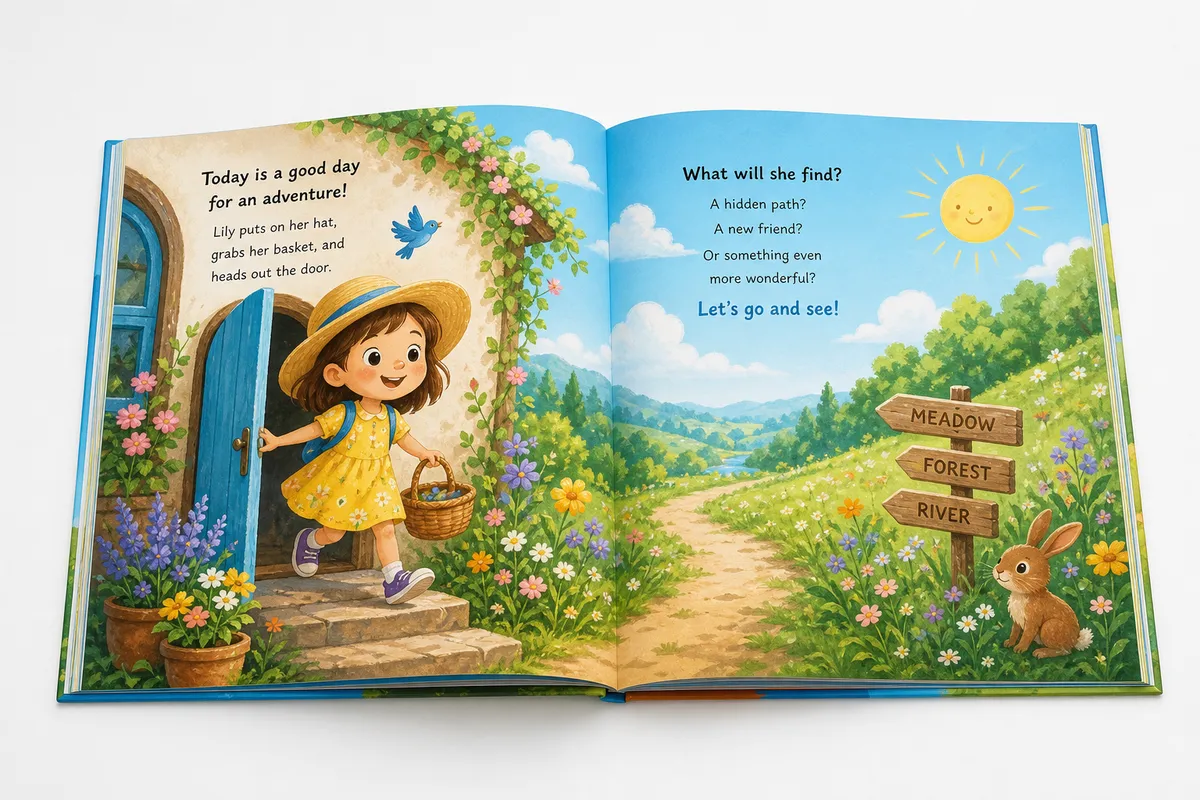
Formatting a children's picture book for KDP requires choosing a standard trim size (such as 8.5x8.5 or 8x10), applying full-bleed settings with a 0.125-inch outer margin addition to the PDF page layout, maintaining a minimum illustration resolution of 300 DPI, and preserving a 0.25-inch safe zone for text.
Illustrated layouts break almost every design rule used for text-heavy novels. A single formatting error on your margins or color profiles can lead to platform rejection or blurry prints.
In this guide, we detail children's book trim sizes, bleed setup, resolution requirements, page counts, and common upload errors. Before starting, read our standard book trim sizes guide to choose your target size, then calculate your exact spine width once your interior page layout is finalized. Ensure your final file complies with print-ready PDF requirements and compare Word versus InDesign formatting workflows to see how design quality affects your illustrated layouts.
Best Trim Sizes for Children's Books
Choosing the right dimensions is critical for illustrated layouts. The most common KDP trim sizes for children's books are:
- 8.5 x 8.5 inches: The industry standard for square picture books.
- 8 x 10 inches: Ideal for portrait-oriented storybooks.
- 8.25 x 6 inches: Standard landscape layout for wide illustrations.
Changing your trim size later will force you to re-illustrate or stretch your art, so select your size early. Read more about layout size rules in our guide to understanding bleed.
Full-Bleed Illustration Setup
If your illustrations stretch to the very edge of the page, your document must use full-bleed settings. This requires adding a 0.125-inch bleed margin to the top, bottom, and outer edges of your PDF page. For example, an 8.5x8.5-inch square book with bleed must be set up at 8.625 x 8.75 inches in your design software. This extra space prevents white lines from showing at the edges after the printer cuts the physical pages.
Image Resolution Requirements (300 DPI)
Every illustration must be exported at a minimum resolution of 300 DPI (dots per inch) at its final physical print size. Uploading low-resolution images (such as 72 DPI web mockups) will result in a blurry or pixelated physical print. Always work at high resolutions in Procreate, Photoshop, or Illustrator, and avoid upscaling low-res images in InDesign.
Color Printing Cost Issues
Children's books are almost always printed in full color. KDP charges a higher print fee for color pages, which significantly impacts your royalties. A standard 32-page color paperback costs more to print than a 300-page black-and-white novel. You must price your book high enough to absorb the printing cost while remaining competitive on Amazon.
Fixed-Layout EBook vs. Print PDF
Do not upload your print PDF file as a Kindle eBook. Print layouts require fixed positioning, while standard eBooks use reflowable text. For children's books, use a fixed-layout eBook format (such as KPF generated from KDP Kids Book Creator) to lock your text directly over your illustrations, ensuring the digital version matches the print spreads.
KDP Page Count Rules
KDP enforces a strict minimum and maximum page count for print formats. For full-color paperbacks, the minimum page count is 24 pages and the maximum is 480 pages. For hardcovers, the minimum is 72 pages. Keep your page count to an even number, as KDP will automatically add a blank page at the end for their printing barcode.
Common Rejection Reasons
Many children's book uploads fail review due to these mistakes:
- Text in the Safe Zone: Important dialogue or page numbers sitting within 0.25 inches of the trim line.
- Un-embedded Fonts: PDF export files that don't embed the custom fonts used for text wraps.
- Gutter Blockage: Text or key faces placed directly in the center fold (gutter) of a two-page spread, making them unreadable when bound.
The Takeaway
Formatting an illustrated book requires pixel-perfect accuracy. Let DesignDile handle your children's book file preparation for guaranteed approval. Contact our team to discuss your picture book project.
Frequently Asked Questions
Sources & Technical References
Related reading
Industry Trends
Kindle vs Print Formatting: Why Your eBook and Paperback Need Different Layouts
8 min read

KDP Formatting
EPUB vs PDF for KDP: Which File Format Should You Submit?
7 min read

KDP Formatting
How to Choose the Perfect Book Trim Size: 2026 KDP & IngramSpark Guide
12 min read
Explore our children's book formatting, read bleed & print setup, see portfolio, or view transparent pricing.